FAA Medical
When you initially join Flights for Life, the Records Keeper enters the correct Medical information in your Pilot Profile. After that, it's up to you.
When you receive a new Medical, you are responsible for updating your Pilot Profile with the date of the new Medical.
From the "Medical Class" drop-down menu, enter First, Second, or Third.
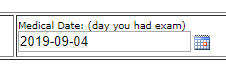
Click on the calendar icon In the "Medical Date" box, and enter the date you had the FAA Medical Exam.
Keep your Profile Current
The Flights for Life web site logic takes your age and Class of Medical and calculates when your Medical will expire. For example, if you have a 3rd Class FAA Medical Examination on your 40th birthday, July 4, 2020, the logic will consider your medical expired after July 31, 2022. Please update your medical date on or before the expiration date. If the logic considers your Medical expired, this will prevent you from requesting missions.
If you have a Special Issuance
Under "Special Issuance Expiration", Click the "Set Limitation Exp" button and enter the date that it expires. If you reach the expiration date, the web site logic will prevent you from requesting missions. So, keep it up to date.
If you don't have a Special Issuance and by mistake, you entered a date in the "Set Limitation Exp" box, you can make it go away:
1. Highlight the date
2. Delete it
3. Click on "Accept Edit"